As an infrastructure engineer, the most important responsibility you will have is maintaining backups and restores. A sound perational backup/restore system can make a difference between recovering from an outage or being down for an extended period of time, thus critically impacting your organization. Given that, I am going to demonstrate how you can setup OpenShift APIs for Data Protection (OADP) and perform backups and restores, using the skills I learned from my DO380 course. . . .
. . . as well as some fairly furious searches online.
Disclaimer
Before we start, let me say this again:
THE FOLLOWING IS A MINIMAL WORKING EXAMPLE AND SHOULD NOT BE USED IN PRODUCTION WITHOUT REVIEW AND REVISION.
You have been warned.
With that done, let us proceed.
Setting Up NFS CSI Driver
A key pre-requisite is to have supported CSI drivers, as you will need to able to snapshot your disk volumes for your PVCs. As it turns out, my existing NFS storage setup won't work with Velero. Fortunately, there is a NFS CSI driver I can install. Following along this guide, I first create the namesapce and then setup the permissions for the service account for the NFS CSI driver:
export NAMESPACE=openshift-csi-driver-nfs
oc create namespace ${NAMESPACE}
oc adm policy add-scc-to-user -n  ${NAMESPACE}  privileged -z csi-nfs-controller-sa
oc adm policy add-scc-to-user -n  ${NAMESPACE}  privileged -z csi-nfs-node-sa
I installed helm chart via the UI, which, if I were to install from the CLI, it looks like this:
helm repo add csi-driver-nfs https://raw.githubusercontent.com/kubernetes-csi/csi-driver-nfs/master/charts
Switch over to openshift-csi-driver-nfs project (namespace) and deployed with the following release:
controller:
  affinity: {}
  defaultOnDeletePolicy: delete
  dnsPolicy: ClusterFirstWithHostNet
  enableSnapshotter: true
  livenessProbe:
    healthPort: 29652
  logLevel: 5
  name: csi-nfs-controller
  nodeSelector: {}
  priorityClassName: system-cluster-critical
  replicas: 1
  resources:
    csiProvisioner:
      limits:
        memory: 400Mi
      requests:
        cpu: 10m
        memory: 20Mi
    csiResizer:
      limits:
        memory: 400Mi
      requests:
        cpu: 10m
        memory: 20Mi
    csiSnapshotter:
      limits:
        memory: 200Mi
      requests:
        cpu: 10m
        memory: 20Mi
    livenessProbe:
      limits:
        memory: 100Mi
      requests:
        cpu: 10m
        memory: 20Mi
    nfs:
      limits:
        memory: 200Mi
      requests:
        cpu: 10m
        memory: 20Mi
  runOnControlPlane: false
  runOnMaster: false
  strategyType: Recreate
  tolerations:
    - effect: NoSchedule
      key: node-role.kubernetes.io/master
      operator: Exists
    - effect: NoSchedule
      key: node-role.kubernetes.io/controlplane
      operator: Exists
    - effect: NoSchedule
      key: node-role.kubernetes.io/control-plane
      operator: Exists
    - effect: NoSchedule
      key: CriticalAddonsOnly
      operator: Exists
  useTarCommandInSnapshot: false
  workingMountDir: /tmp
customLabels: {}
driver:
  mountPermissions: 0
  name: nfs.csi.k8s.io
externalSnapshotter:
  controller:
    replicas: 1
  customResourceDefinitions:
    enabled: true
  deletionPolicy: Delete
  enabled: false
  name: snapshot-controller
  priorityClassName: system-cluster-critical
  resources:
    limits:
      memory: 300Mi
    requests:
      cpu: 10m
      memory: 20Mi
feature:
  enableFSGroupPolicy: true
  enableInlineVolume: false
  propagateHostMountOptions: false
image:
  baseRepo: registry.k8s.io
  csiProvisioner:
    pullPolicy: IfNotPresent
    repository: registry.k8s.io/sig-storage/csi-provisioner
    tag: v5.2.0
  csiResizer:
    pullPolicy: IfNotPresent
    repository: registry.k8s.io/sig-storage/csi-resizer
    tag: v1.13.1
  csiSnapshotter:
    pullPolicy: IfNotPresent
    repository: registry.k8s.io/sig-storage/csi-snapshotter
    tag: v8.2.0
  externalSnapshotter:
    pullPolicy: IfNotPresent
    repository: registry.k8s.io/sig-storage/snapshot-controller
    tag: v8.2.0
  livenessProbe:
    pullPolicy: IfNotPresent
    repository: registry.k8s.io/sig-storage/livenessprobe
    tag: v2.15.0
  nfs:
    pullPolicy: IfNotPresent
    repository: registry.k8s.io/sig-storage/nfsplugin
    tag: v4.10.0
  nodeDriverRegistrar:
    pullPolicy: IfNotPresent
    repository: registry.k8s.io/sig-storage/csi-node-driver-registrar
    tag: v2.13.0
imagePullSecrets: []
kubeletDir: /var/lib/kubelet
node:
  affinity: {}
  dnsPolicy: ClusterFirstWithHostNet
  livenessProbe:
    healthPort: 29653
  logLevel: 5
  maxUnavailable: 1
  name: csi-nfs-node
  nodeSelector: {}
  priorityClassName: system-cluster-critical
  resources:
    livenessProbe:
      limits:
        memory: 100Mi
      requests:
        cpu: 10m
        memory: 20Mi
    nfs:
      limits:
        memory: 300Mi
      requests:
        cpu: 10m
        memory: 20Mi
    nodeDriverRegistrar:
      limits:
        memory: 100Mi
      requests:
        cpu: 10m
        memory: 20Mi
  tolerations:
    - operator: Exists
rbac:
  create: true
  name: nfs
serviceAccount:
  controller: csi-nfs-controller-sa
  create: true
  node: csi-nfs-node-sa
storageClass:
  create: true
  name: nfs-csi
  annotations:
    storageclass.kubevirt.io/is-default-virt-class: "true"
    storageclass.kubernetes.io/is-default-class: "true"
  parameters:
    server: 172.16.1.35
    share: /path/to/nfs
    subDir: ${pvc.metadata.namespace}-${pvc.metadata.name}-${pv.metadata.name}
volumeSnapshotClass:
  create: true
  deletionPolicy: Delete
  name: csi-nfs-snapclass
The key setting I added to the release is the parameters under storageClass as well volumeSnapshotClass.
When it is deployed, the CSI driver should be visible:
➜  content git:(master) ✗ oc get csidrivers.storage.k8s.io
NAME             ATTACHREQUIRED   PODINFOONMOUNT   STORAGECAPACITY   TOKENREQUESTS   REQUIRESREPUBLISH   MODES        AGE
nfs.csi.k8s.io   false            false            false             <unset>         false               Persistent   27h
As well as the snapshot class:
➜  content git:(master) ✗ oc get volumesnapshotclasses.snapshot.storage.k8s.io
NAME                DRIVER           DELETIONPOLICY   AGE
csi-nfs-snapclass   nfs.csi.k8s.io   Delete           27h
We are now ready to deploy OpenShift APIs for Data Protection (OADP).
Installing OpenShift OADP
OpenShift APIs for Data Protection (OADP) is an operator that allows you to perform backups and restore on OpenShift. It is composed of the following:
- Velero - a core component of OADP, it does both backup and restores.
- Data Mover - perform exports to storage of various types, including object storage
- Kopia - a tool used to backup persistent volumes.
To deploy it, we need to have access to the OKDerater catalog. if you haven't already installed ite already, this is how it is done:
First, we will install the OKerators catalog.
➜  blog.example.com git:(master) ✗ curl -s https://raw.githubusercontent.com/okd-project/okderators-catalog-index/refs/heads/release-4.19/hack/install-catalog.sh | bash
  % Total    % Received % Xferd  Average Speed   Time    Time     Time  Current
                                 Dload  Upload   Total   Spent    Left  Speed
100   985  100   985    0     0   9115      0 --:--:-- --:--:-- --:--:--  9120
catalogsource.operators.coreos.com/okderators created
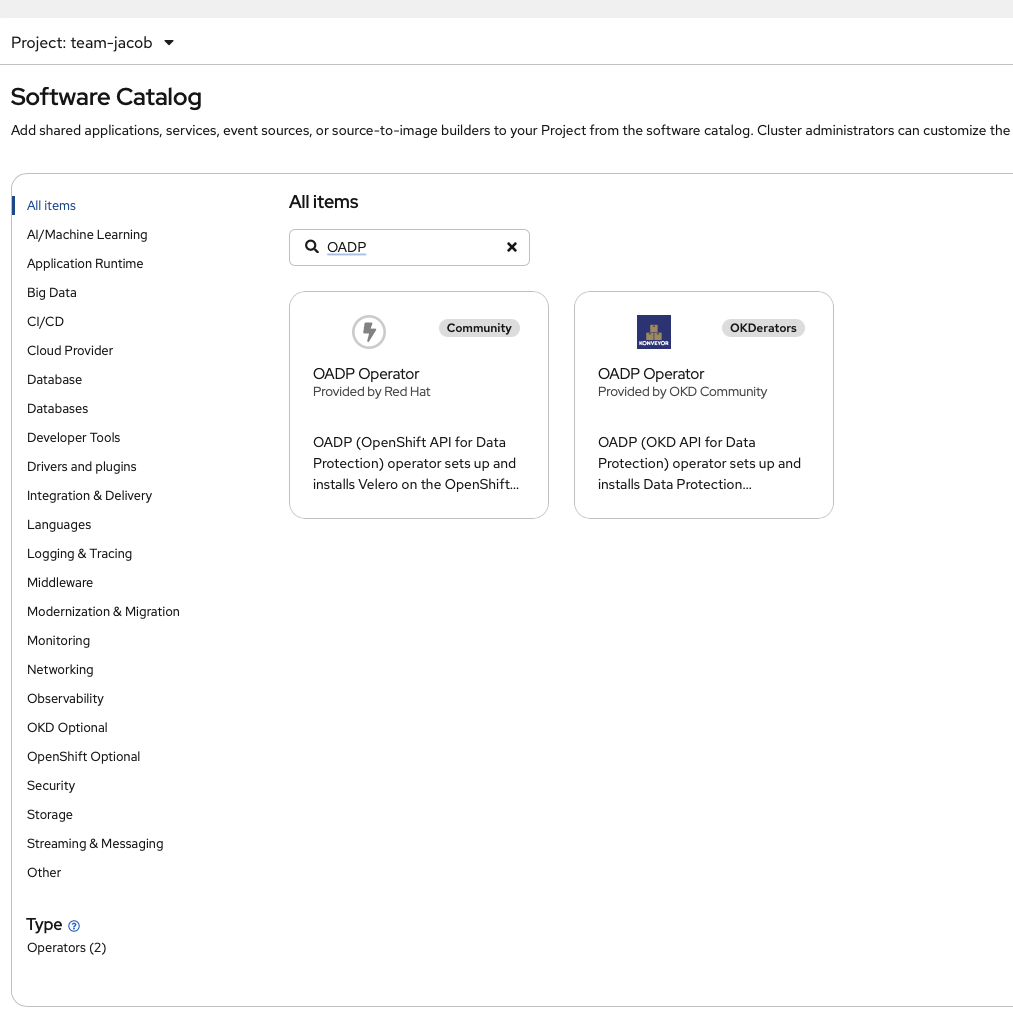
Next we will install it on the cluster. We go to the software catalog, look for OADP:
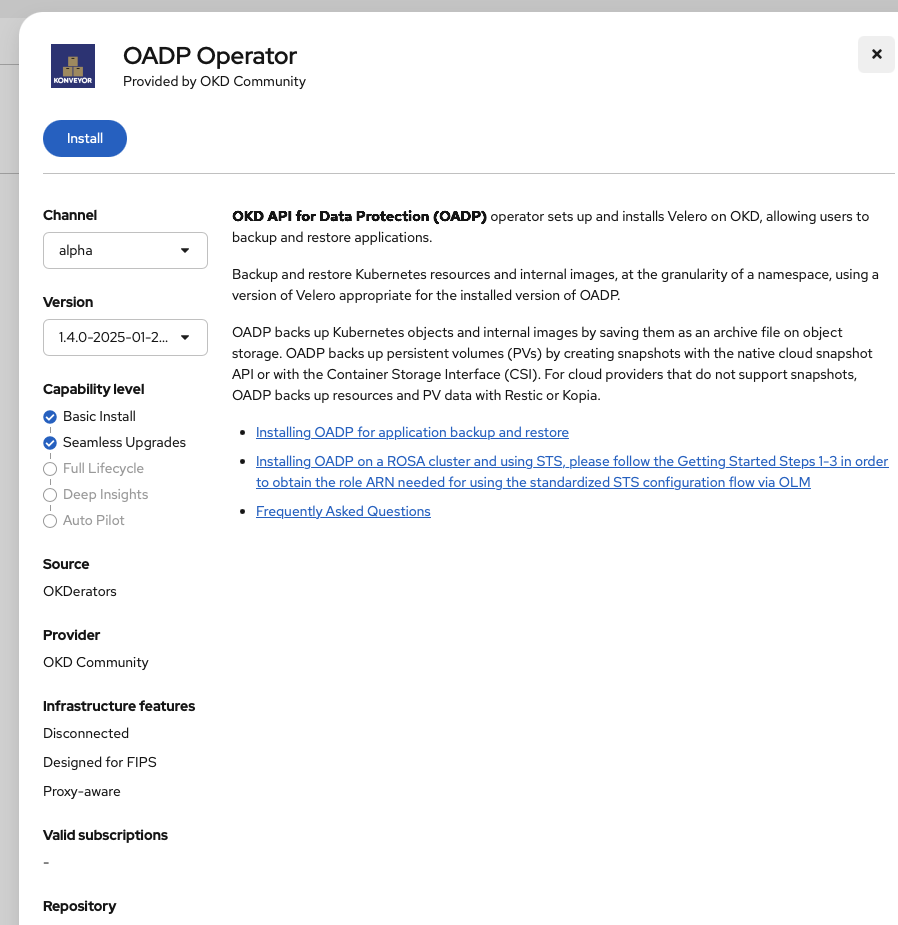
We click through it and then proceed with the install:
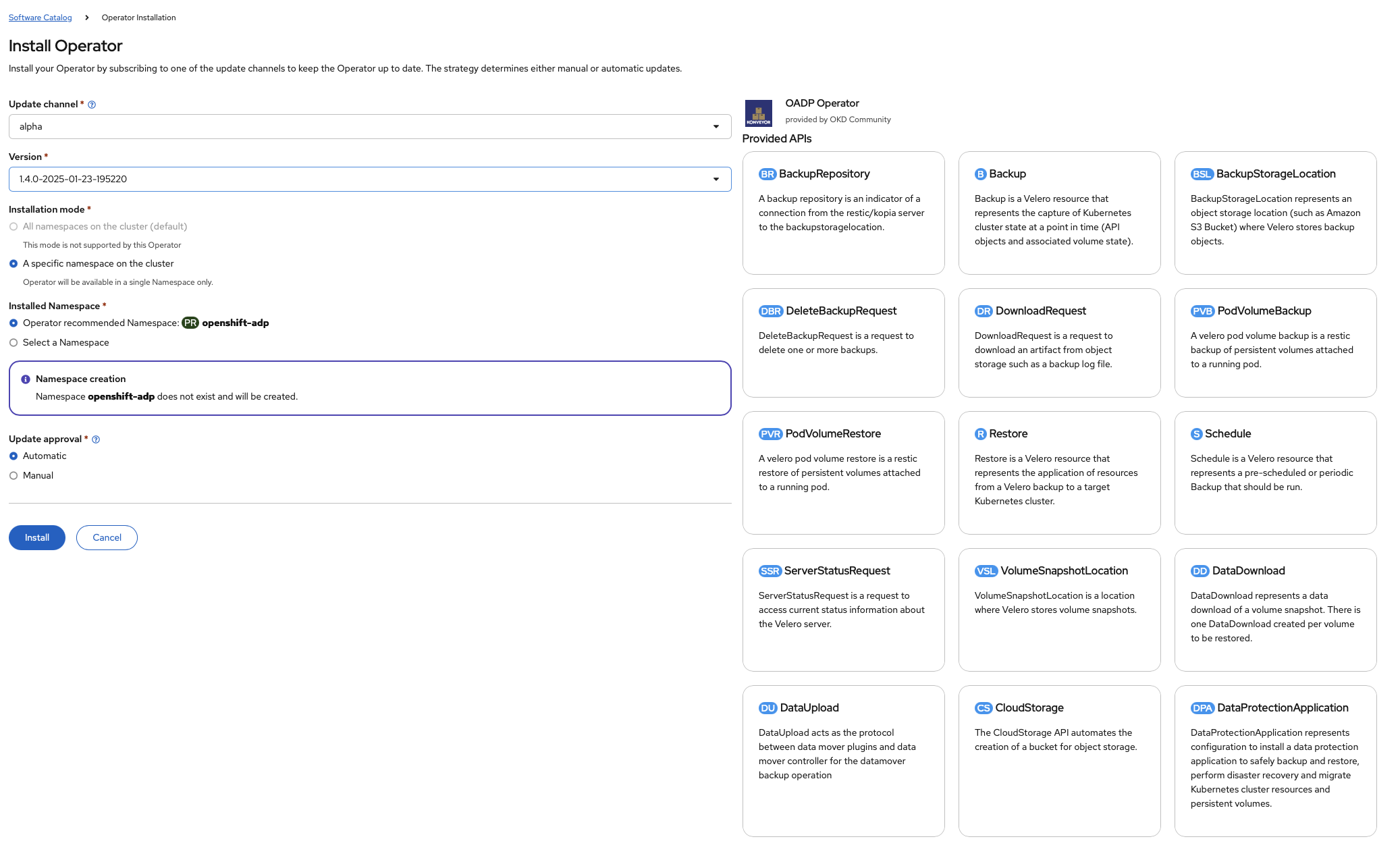
We wait until we get the success screen:
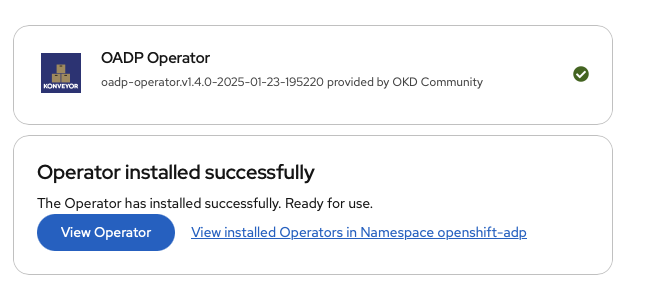
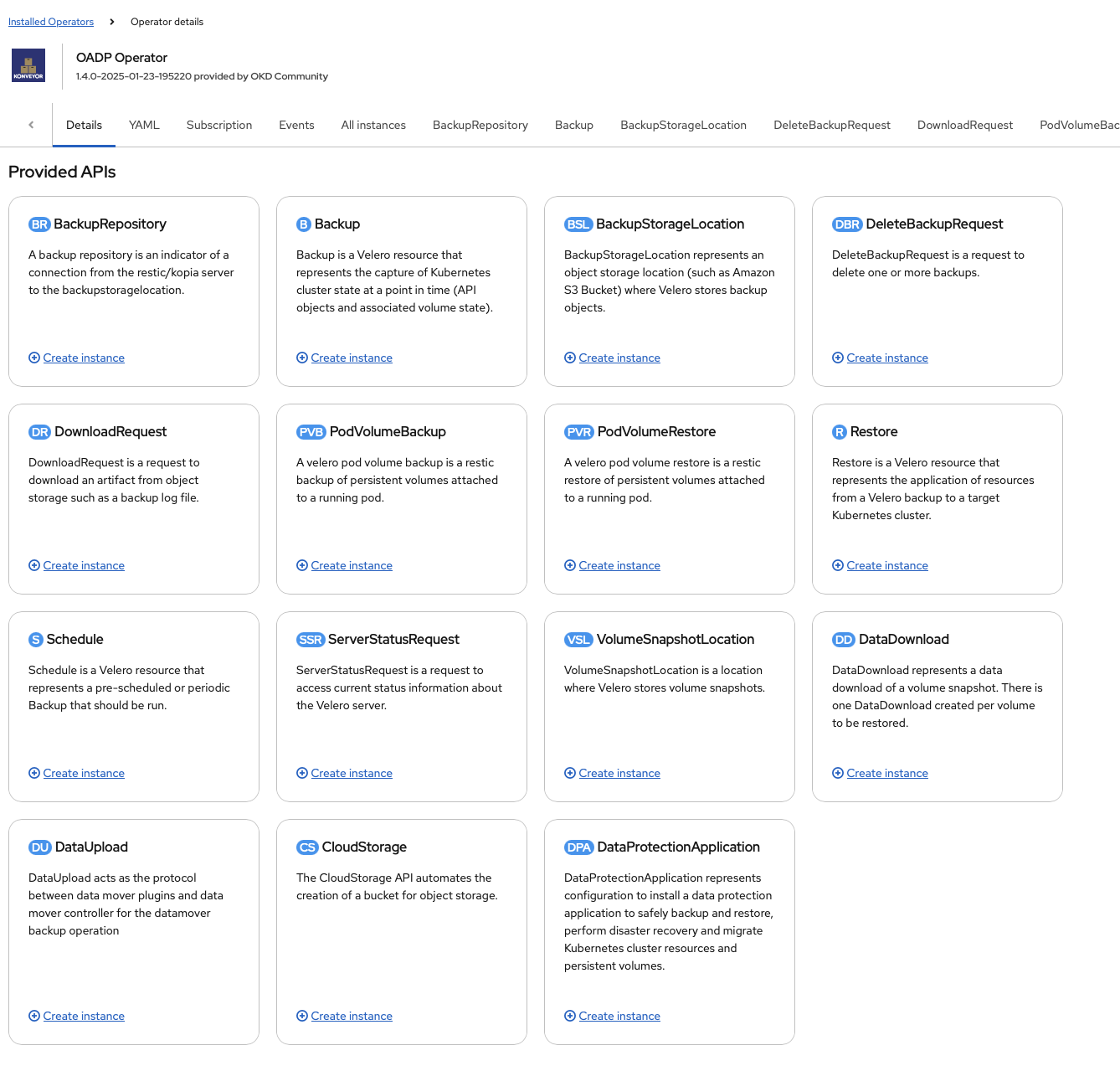
We click on View Operator button and we go a whole slew of services we can use:
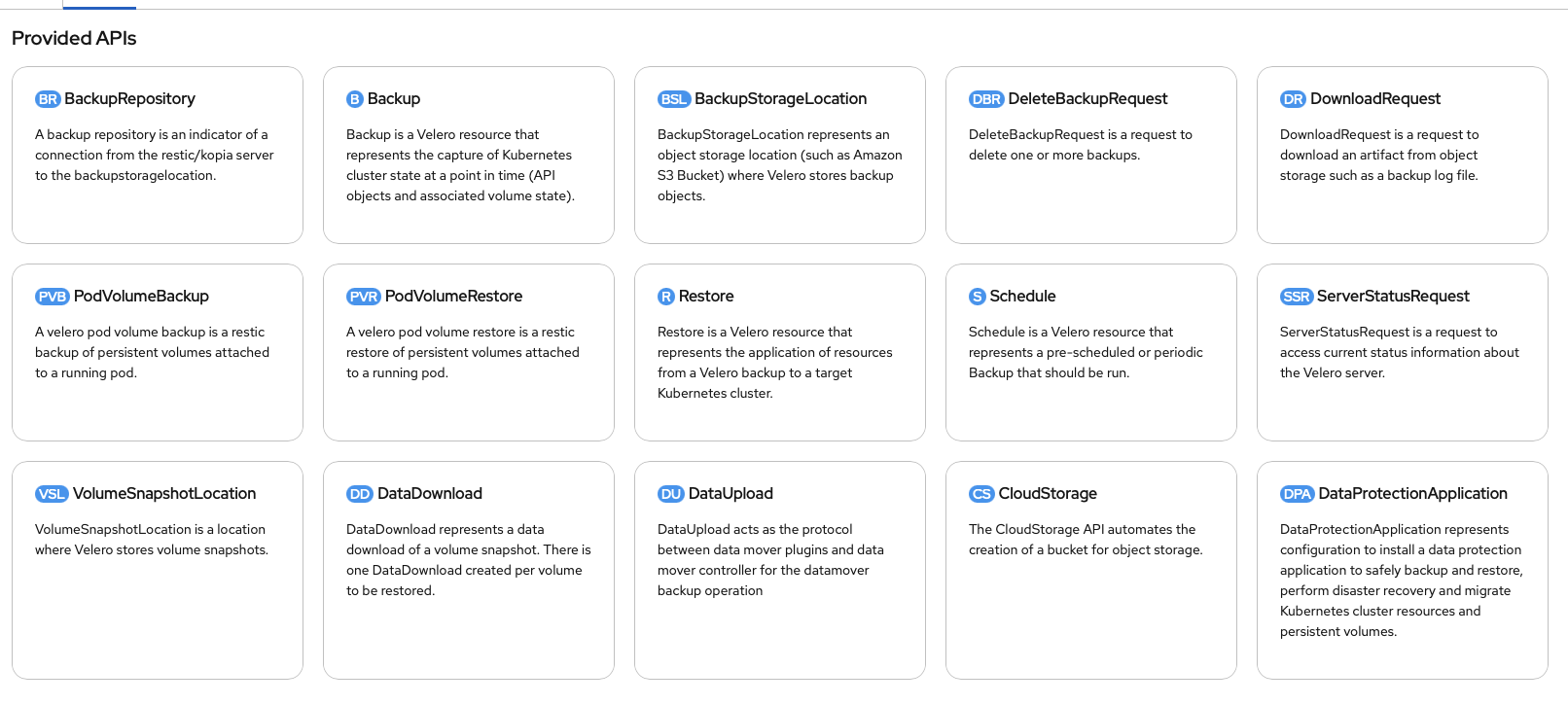
With the OADP operator now setup, we will proceed with the backup and restore configuration
Deploying Data Production Application
We will setup the backup and restore services using Data Production Application (DPA), which handles most of the backups and restores for us. Now you can setup the DPA via the UI by clicking on the DPA.

And then click on the button (Create Data Protection Application):

Which we will. But we will not finish in the UI. That is because not all the DPA options are available in the UI for us to use in our homelab setup. So instead, we used the UI as a starting point, filling out the fields, copying the resulting YAML into file and then finish the remaining items from the editor:
apiVersion: oadp.openshift.io/v1alpha1
kind: DataProtectionApplication
metadata:
  name: oadp-backup
  namespace: openshift-adp
spec:
  configuration:
    nodeAgent:
      enable: true
      uploaderType: kopia
    velero:
      featureFlags:
        - EnableCSI
      defaultPlugins:
        - openshift
        - aws
        - kubevirt
        - csi # You can deploy the template without the CSI driver, just don't expect to be able to backup PVs and PVCs
      defaultSnapshotMoveData: true
  snapshotLocations:
    - velero:
        config:
          profile: default
          region: us-west-2
        provider: aws
  backupLocations:
    - velero:
        config:
          profile: default
          region: us-east-1
          s3Url: "http://192.168.1.35:8333" # Our internal object store URL
          s3ForcePathStyle: "true"
          insecureSkipTLSVerify: "true"
        credential:
          key: cloud
          name: cloud-credentials
        objectStorage:
          bucket: backup-oadp
          prefix: velero
        default: true
        provider: aws
        accessMode: ReadWrite
      name: seaweedfs
  imagePullPolicy: IfNotPresent
(As an aside, I am using seaweedFS for my object storage, since OADP can support any object storage as long as it is compatible with AWS S3 APIs. That said, it seems that Red Hat prefered Openshift Data Foundation, which is software defined storage on openshift. See here for a walkthrough)
With that all done, we make sure that from the command line, we are in the openshift-adp namespace:
Then we create the cloud-credentials secret:
oc create secret generic cloud-credentials -n openshift-adp --from-file cloud=$HOME/.aws/credentials
And then we deploy the template:
oc apply -f dpa-backup.yaml
We verify that DPA is deployed and our object storage localtion is ready to go:
➜  okd git:(master) ✗ oc get deploy,daemonset -n openshift-adp
NAME                                               READY   UP-TO-DATE   AVAILABLE   AGE
deployment.apps/openshift-adp-controller-manager   1/1     1            1           20m
deployment.apps/velero                             1/1     1            1           16s

NAME                        DESIRED   CURRENT   READY   UP-TO-DATE   AVAILABLE   NODE SELECTOR   AGE
daemonset.apps/node-agent   5         5         4       5            4           <none>          16s
➜  okd git:(master) ✗ oc get BackupStorageLocation -n openshift-adp
NAME        PHASE       LAST VALIDATED   AGE   DEFAULT
seaweedfs   Available   14s              32s   true
➜  okd git:(master)
Then we need to make sure that our backup service is able to use our CSI driver, so we label the volumesnapshotclasses:
oc label volumesnapshotclasses.snapshot.storage.k8s.io csi-nfs-snapclass velero.io/csi-volumesnapshot-class="true" --all
Finally, we need to use the velero command (which runs in a container) to get the status of backups as well as perform on-demand backups and restore. So we create the following alias:
velero='oc exec deployment/velero -c velero -it -- ./velero'
We now are ready to perform backups and restores. Lets test it out.
Deploying Memos
To test that we are able to backup and restore our services, we deployed memos, which is an opensource note-taking application. We adapted this guide for our environment:
apiVersion: project.openshift.io/v1
kind: Project
metadata:
  name: team-jacob
  annotations:
    openshift.io/description: "Project Tools for Jacob's team"
    openshift.io/display-name: "Team Jacob"
    openshift.io/requester: rilindo
  labels:
    kubernetes.io/metadata.name: team-jacob

---
apiVersion: v1
kind: PersistentVolumeClaim
metadata:
  name: postgres-data
  namespace: team-jacob
spec:
  storageClassName: nfs-csi
  accessModes:
    - ReadWriteOnce
  resources:
    requests:
      storage: 20Gi

---
apiVersion: v1
kind: PersistentVolumeClaim
metadata:
  name: menos-postgres-backup-pvc
  namespace: team-jacob
spec:
  storageClassName: nfs-csi
  accessModes:
    - ReadWriteOnce
  resources:
    requests:
      storage: 20Gi

---
apiVersion: apps/v1
kind: StatefulSet
metadata:
  name: postgres
  namespace: team-jacob
spec:
  selector:
    matchLabels:
      app: postgres
  template:
    metadata:
      labels:
        app: postgres
      annotations:
        pre.hook.backup.velero.io/command: >
          ["/bin/bash","-c","pg_dump -U postgres memos > /backup/memos.sql"]
        pre.hook.backup.velero.io/timeout: "300s"
        post.hook.restore.velero.io/command: >
          ["/bin/bash","-c","psql -U postgres memos < /backup/memos.sql"]
        post.hook.restore.velero.io/timeout: "300s"
        backup.velero.io/backup-volumes: "data,backup"
    spec:
      securityContext:
        runAsNonRoot: true
      containers:
      - name: postgres
        image: quay.io/sclorg/postgresql-15-c9s:latest
        ports:
        - containerPort: 5432
        env:
        - name: POSTGRESQL_DATABASE
          value: "memos"
        - name: POSTGRESQL_USER
          value: "memos"
        - name: POSTGRESQL_PASSWORD
          valueFrom:
            secretKeyRef:
              name: memos-db-secret
              key: POSTGRESQL_PASSWORD
        volumeMounts:
        - name: data
          mountPath: /var/lib/pgsql/data
        - name: backup
          mountPath: /backup
        resources:
          requests:
            memory: "256Mi"
            cpu: "250m"
          limits:
            memory: "1Gi"
            cpu: "1000m"
      volumes:
      - name: data
        persistentVolumeClaim:
          claimName: postgres-data
      - name: backup
        persistentVolumeClaim:
          claimName: menos-postgres-backup-pvc

---
apiVersion: v1
kind: Service
metadata:
  name: postgres
  namespace: team-jacob
spec:
  selector:
    app: postgres
  ports:
  - port: 5432
    targetPort: 5432
  type: ClusterIP

---
apiVersion: apps/v1
kind: Deployment
metadata:
  name: memos
  namespace: team-jacob
spec:
  replicas: 2
  selector:
    matchLabels:
      app: memos
  template:
    metadata:
      labels:
        app: memos
    spec:
      containers:
      - name: memos
        image: neosmemo/memos:stable
        ports:
        - containerPort: 5230
          name: http
        env:
        - name: MEMOS_MODE
          value: "prod"
        - name: MEMOS_ADDR
          value: "0.0.0.0"
        - name: MEMOS_PORT
          value: "5230"
        - name: MEMOS_DRIVER
          value: "postgres"
        - name: MEMOS_DSN
          valueFrom:
            secretKeyRef:
              name: memos-db-secret
              key: MEMOS_DSN
        resources:
          requests:
            memory: "128Mi"
            cpu: "100m"
          limits:
            memory: "512Mi"
            cpu: "500m"
        livenessProbe:
          httpGet:
            path: /healthz
            port: 5230
          initialDelaySeconds: 30
          periodSeconds: 10
        readinessProbe:
          httpGet:
            path: /healthz
            port: 5230
          initialDelaySeconds: 5
          periodSeconds: 5

---
apiVersion: v1
kind: Service
metadata:
  name: memos
  namespace: team-jacob
spec:
  selector:
    app: memos
  ports:
  - name: http
    port: 5230
    targetPort: 5230
  type: ClusterIP

---
kind: Route
apiVersion: route.openshift.io/v1
metadata:
  name: memos
  namespace: team-jacob
spec:
  to:
    kind: Service
    name: memos
    weight: 100
  port:
    targetPort: 5230
  tls:
    termination: edge
    insecureEdgeTerminationPolicy: Redirect
  wildcardPolicy: None
Soem key changes:
- We change the manifest from creating a
namespace to openshift project:
apiVersion: project.openshift.io/v1
kind: Project
metadata:
  name: team-jacob
  annotations:
    openshift.io/description: "Project Tools for Jacob's team"
    openshift.io/display-name: "Team Jacob"
    openshift.io/requester: rilindo
  labels:
    kubernetes.io/metadata.name: team-jacob
-
We removed the secret creation, because we try not to save credentials in source, so we will create the separately.
-
We created a new PVC for the backup volume and then specified nfs-csi for storageClassName. The extra backup volume is for the postgreSQL database dump, as velero is not WAL-aware and we need to make sure that our backups and restores are crash-consistent. So we will perform a backup and restore from that volume.
-
Given that, we added the follow annotations to our postgres stateful setup (incidentally, it was a Default for reasons that was not clear to setup backup and restore hooks for velero:
        pre.hook.backup.velero.io/command: >
          ["/bin/bash","-c","pg_dump -U postgres memos > /backup/memos.sql"]
        pre.hook.backup.velero.io/timeout: "300s"
        post.hook.restore.velero.io/command: >
          ["/bin/bash","-c","psql -U postgres memos < /backup/memos.sql"]
        post.hook.restore.velero.io/timeout: "300s"
        backup.velero.io/backup-volumes: "data,backup"
Then define the backup volumes:
        - name: backup
          mountPath: /backup
      - name: backup
        persistentVolumeClaim:
          claimName: menos-postgres-backup-pvc
Finally, we added a route:
---
kind: Route
apiVersion: route.openshift.io/v1
metadata:
  name: memos
  namespace: team-jacob
spec:
  to:
    kind: Service
    name: memos
    weight: 100
  port:
    targetPort: 5230
  tls:
    termination: edge
    insecureEdgeTerminationPolicy: Redirect
  wildcardPolicy: None
With all the manifests done, we create the project and deploy the app.
➜  memos git:(master) ✗ oc create -f deployment-real-backup-2.yaml
project.project.openshift.io/team-jacob created
persistentvolumeclaim/postgres-data created
persistentvolumeclaim/menos-postgres-backup-pvc created
statefulset.apps/postgres created
service/postgres created
deployment.apps/memos created
service/memos created
route.route.openshift.io/memos created
(Yeah, I had to go through a few variations)
Then I created the secret separately with:
➜  memos git:(master) ✗ oc create secret generic memos-db-secret --from-literal=POSTGRES_PASSWORD="youshouldntprobablyusethispassword" --from-literal=MEMOS_DSN="postgresql://memos:youshouldntprobablyusethispassword@postgres:5432/memos?sslmode=disable" -n team-jacob
secret/memos-db-secret created
Once we created the secret, the pods and statefule should be up:
➜  content git:(master) oc get deployments,statefulset,pods -n team-jacob
NAME                    READY   UP-TO-DATE   AVAILABLE   AGE
deployment.apps/memos   2/2     2            2           28h

NAME                        READY   AGE
statefulset.apps/postgres   1/1     28h

NAME                         READY   STATUS    RESTARTS      AGE
pod/memos-76fdcf6597-54pkc   1/1     Running   4 (28h ago)   28h
pod/memos-76fdcf6597-6vv88   1/1     Running   3 (28h ago)   28h
pod/postgres-0               1/1     Running   0             26h
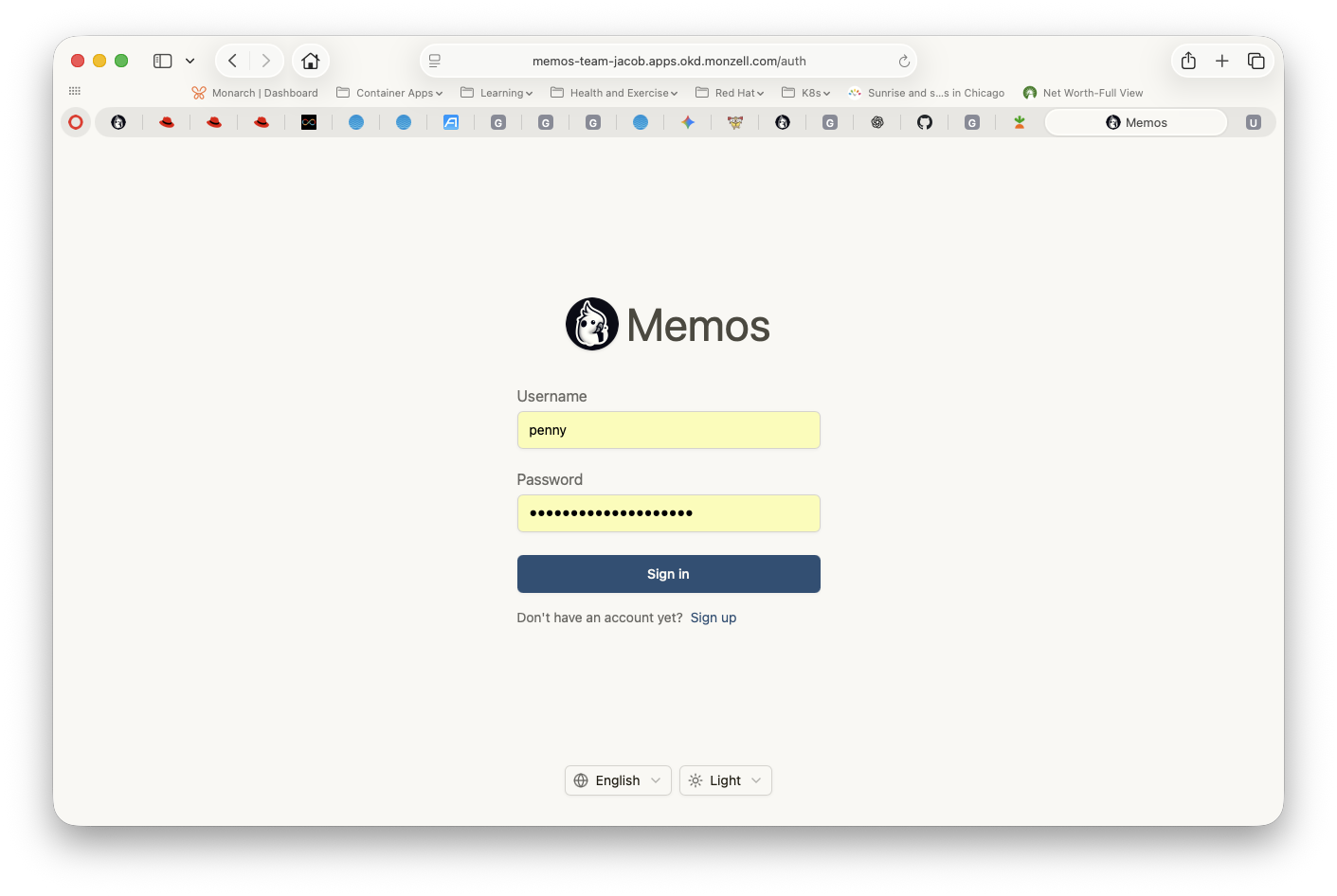
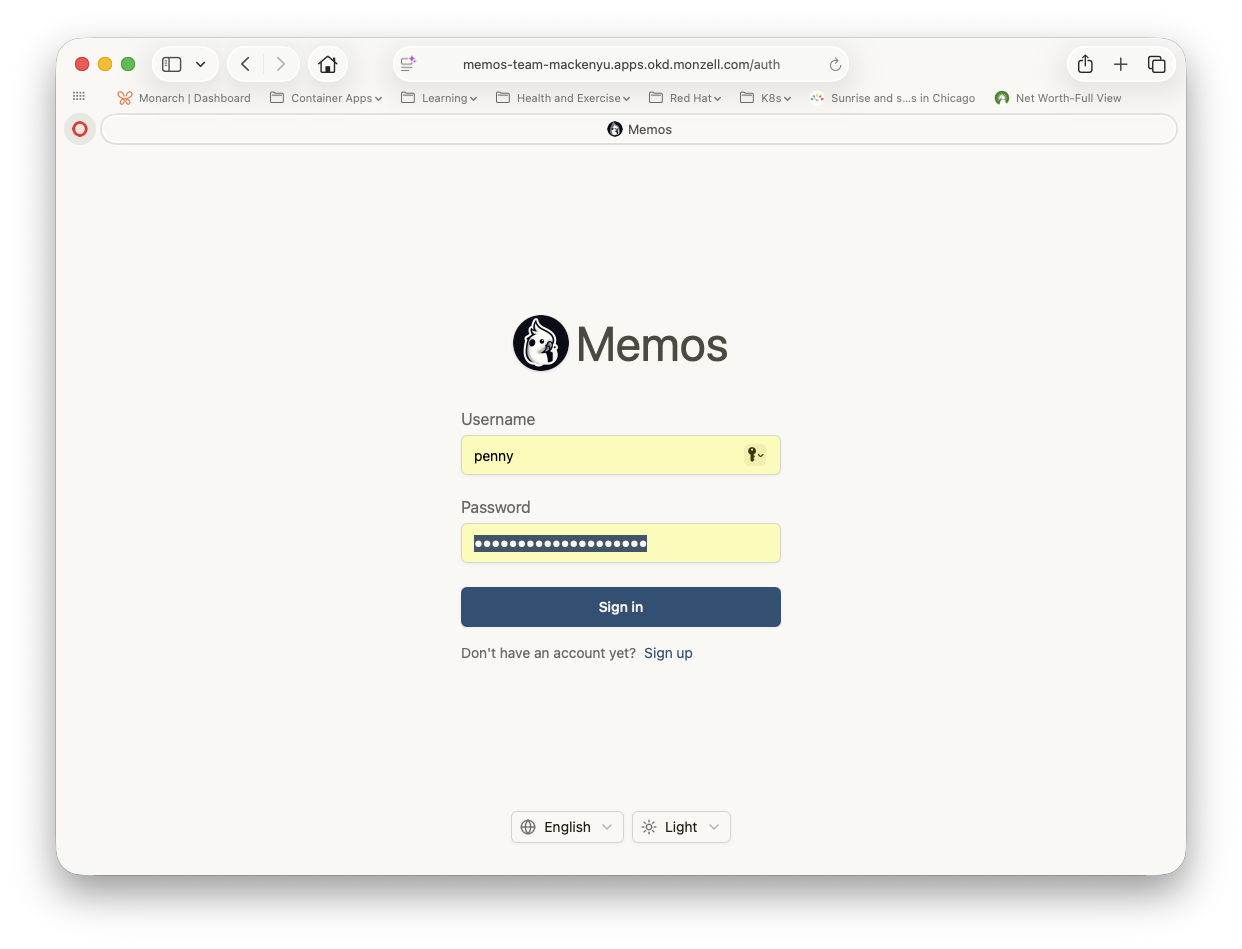
With the app deployed, lets add some data. We create a username penny and logged in https://memos-team-jacob.apps.okd.monzell.com:
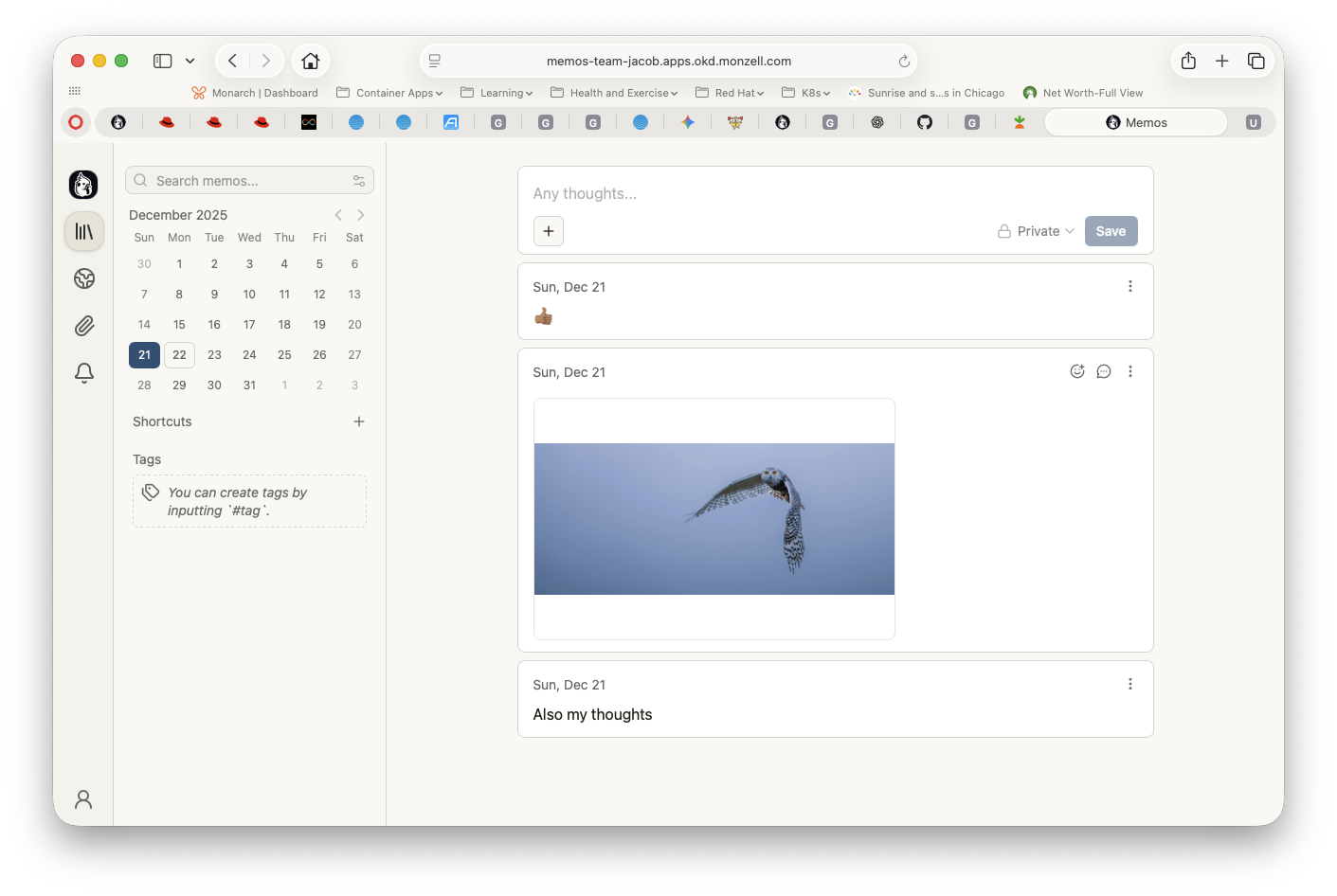
And added a few items (note the URL):
Now we are ready to backup and restore this application.
Backup and Restore Memos
We create a manifest for the backup:
apiVersion: velero.io/v1
kind: Backup
metadata:
  name: team-jacob-env-backup
  namespace: openshift-adp
spec:
  includedNamespaces:
    - team-jacob
  includedResources:
    - persistentvolumeclaims
    - persistentvolumes
    - pods
    - services
    - deployments
    - statefulsets
    - configmaps
    - secrets
    - namespace
    - routes
This lets us create a backup resource called team-jacob-env-backup for the namespace team-jacob for the resources listed.
With that done, we create the the resource, which will initiate the backup
➜  okd git:(master) ✗ oc create -f team-jacob-backup.yaml
backup.velero.io/team-jacob-env-backup created
Using the velero command, we check to the status of the backup, which should be fairly quick.
➜  okd git:(master) ✗ velero backup  get
NAME                     STATUS            ERRORS   WARNINGS   CREATED                         EXPIRES   STORAGE LOCATION   SELECTOR
memos-backup             PartiallyFailed   1        0          2025-12-21 22:30:36 +0000 UTC   29d       seaweedfs          <none>
memos-backup-env         Completed         0        0          2025-12-21 22:37:38 +0000 UTC   29d       seaweedfs          <none>
okd-backup               Completed         0        6          2025-12-21 19:53:07 +0000 UTC   29d       seaweedfs          <none>
team-jacob-backup        Completed         0        0          2025-12-22 02:06:37 +0000 UTC   29d       seaweedfs          <none>
team-jacob-backup-env    Completed         0        0          2025-12-22 02:06:46 +0000 UTC   29d       seaweedfs          <none>
team-jacob-backup-full   Completed         0        0          2025-12-22 02:07:47 +0000 UTC   29d       seaweedfs          <none>
team-jacob-env-backup    InProgress        0        0          2025-12-22 02:12:11 +0000 UTC   29d       seaweedfs          <none>
➜  okd git:(master) ✗ velero backup  get
NAME                     STATUS            ERRORS   WARNINGS   CREATED                         EXPIRES   STORAGE LOCATION   SELECTOR
memos-backup             PartiallyFailed   1        0          2025-12-21 22:30:36 +0000 UTC   29d       seaweedfs          <none>
memos-backup-env         Completed         0        0          2025-12-21 22:37:38 +0000 UTC   29d       seaweedfs          <none>
okd-backup               Completed         0        6          2025-12-21 19:53:07 +0000 UTC   29d       seaweedfs          <none>
team-jacob-backup        Completed         0        0          2025-12-22 02:06:37 +0000 UTC   29d       seaweedfs          <none>
team-jacob-backup-env    Completed         0        0          2025-12-22 02:06:46 +0000 UTC   29d       seaweedfs          <none>
team-jacob-backup-full   Completed         0        0          2025-12-22 02:07:47 +0000 UTC   29d       seaweedfs          <none>
team-jacob-env-backup    Completed         0        0          2025-12-22 02:12:11 +0000 UTC   29d       seaweedfs          <none>
With the backup done, lets make sure that the backup works, so lets restore with this manifest:
apiVersion: velero.io/v1
kind: Restore
metadata:
  name: team-jacob-env-restore-to-team-mackenyu
  namespace: openshift-adp
spec:
  backupName: team-jacob-env-backup
  namespaceMapping:
    team-jacob: team-mackenyu
This should restore everything from backup into the namespace team-mackenyu.
We then initiate the restore.
➜  okd git:(master) ✗ oc create -f team-jacob-restore.yaml
restore.velero.io/team-jacob-env-restore-to-team-mackenyu created
And run velero restore get to check until the restore is done.
➜  okd git:(master) ✗ velero restore get
NAME                                      BACKUP                   STATUS            STARTED                         COMPLETED                       ERRORS   WARNINGS   CREATED                         SELECTOR
team-bella-restore                        memos-backup-env         Failed            2025-12-21 22:41:27 +0000 UTC   2025-12-22 02:06:34 +0000 UTC   0        0          2025-12-21 22:41:27 +0000 UTC   <none>
team-jacob-env-restore                    team-jacob-env-backup    Completed         2025-12-22 02:13:19 +0000 UTC   2025-12-22 02:13:32 +0000 UTC   0        2          2025-12-22 02:13:19 +0000 UTC   <none>
team-jacob-env-restore-to-team-emily      team-jacob-env-backup    PartiallyFailed   2025-12-23 02:14:11 +0000 UTC   2025-12-23 02:14:23 +0000 UTC   1        2          2025-12-23 02:14:11 +0000 UTC   <none>
team-jacob-env-restore-to-team-mackenyu   team-jacob-env-backup    InProgress        2025-12-23 02:20:22 +0000 UTC   <nil>                           0        0          2025-12-23 02:20:22 +0000 UTC   <none>
team-jacob-restore                        team-jacob-backup-full   Completed         2025-12-22 02:09:48 +0000 UTC   2025-12-22 02:10:07 +0000 UTC   0        2          2025-12-22 02:09:48 +0000 UTC   <none>
➜  okd git:(master) ✗ velero restore get
NAME                                      BACKUP                   STATUS            STARTED                         COMPLETED                       ERRORS   WARNINGS   CREATED                         SELECTOR
team-bella-restore                        memos-backup-env         Failed            2025-12-21 22:41:27 +0000 UTC   2025-12-22 02:06:34 +0000 UTC   0        0          2025-12-21 22:41:27 +0000 UTC   <none>
team-jacob-env-restore                    team-jacob-env-backup    Completed         2025-12-22 02:13:19 +0000 UTC   2025-12-22 02:13:32 +0000 UTC   0        2          2025-12-22 02:13:19 +0000 UTC   <none>
team-jacob-env-restore-to-team-emily      team-jacob-env-backup    PartiallyFailed   2025-12-23 02:14:11 +0000 UTC   2025-12-23 02:14:23 +0000 UTC   1        2          2025-12-23 02:14:11 +0000 UTC   <none>
team-jacob-env-restore-to-team-mackenyu   team-jacob-env-backup    InProgress        2025-12-23 02:20:22 +0000 UTC   <nil>                           0        0          2025-12-23 02:20:22 +0000 UTC   <none>
team-jacob-restore                        team-jacob-backup-full   Completed         2025-12-22 02:09:48 +0000 UTC   2025-12-22 02:10:07 +0000 UTC   0        2          2025-12-22 02:09:48 +0000 UTC   <none>
➜  okd git:(master) ✗ velero restore get
NAME                                      BACKUP                   STATUS            STARTED                         COMPLETED                       ERRORS   WARNINGS   CREATED                         SELECTOR
team-bella-restore                        memos-backup-env         Failed            2025-12-21 22:41:27 +0000 UTC   2025-12-22 02:06:34 +0000 UTC   0        0          2025-12-21 22:41:27 +0000 UTC   <none>
team-jacob-env-restore                    team-jacob-env-backup    Completed         2025-12-22 02:13:19 +0000 UTC   2025-12-22 02:13:32 +0000 UTC   0        2          2025-12-22 02:13:19 +0000 UTC   <none>
team-jacob-env-restore-to-team-emily      team-jacob-env-backup    PartiallyFailed   2025-12-23 02:14:11 +0000 UTC   2025-12-23 02:14:23 +0000 UTC   1        2          2025-12-23 02:14:11 +0000 UTC   <none>
team-jacob-env-restore-to-team-mackenyu   team-jacob-env-backup    Finalizing        2025-12-23 02:20:22 +0000 UTC   <nil>                           0        2          2025-12-23 02:20:22 +0000 UTC   <none>
team-jacob-restore                        team-jacob-backup-full   Completed         2025-12-22 02:09:48 +0000 UTC   2025-12-22 02:10:07 +0000 UTC   0        2          2025-12-22 02:09:48 +0000 UTC   <none>
➜  okd git:(master) ✗ velero restore get
NAME                                      BACKUP                   STATUS            STARTED                         COMPLETED                       ERRORS   WARNINGS   CREATED                         SELECTOR
team-bella-restore                        memos-backup-env         Failed            2025-12-21 22:41:27 +0000 UTC   2025-12-22 02:06:34 +0000 UTC   0        0          2025-12-21 22:41:27 +0000 UTC   <none>
team-jacob-env-restore                    team-jacob-env-backup    Completed         2025-12-22 02:13:19 +0000 UTC   2025-12-22 02:13:32 +0000 UTC   0        2          2025-12-22 02:13:19 +0000 UTC   <none>
team-jacob-env-restore-to-team-emily      team-jacob-env-backup    PartiallyFailed   2025-12-23 02:14:11 +0000 UTC   2025-12-23 02:14:23 +0000 UTC   1        2          2025-12-23 02:14:11 +0000 UTC   <none>
team-jacob-env-restore-to-team-mackenyu   team-jacob-env-backup    Completed         2025-12-23 02:20:22 +0000 UTC   2025-12-23 02:20:34 +0000 UTC   0        2          2025-12-23 02:20:22 +0000 UTC   <none>
team-jacob-restore                        team-jacob-backup-full   Completed         2025-12-22 02:09:48 +0000 UTC   2025-12-22 02:10:07 +0000 UTC   0        2          2025-12-22 02:09:48 +0000 UTC   <none>
➜  okd git:(master) ✗
We are able to confirm that all the resources were restored and running:
➜  okd git:(master) ✗ oc get pods,pvc,pv,pods,services,deployments,statefulsets,configmaps,secrets,routes -n team-mackenyu
NAME                         READY   STATUS    RESTARTS        AGE
pod/memos-76fdcf6597-52dbw   1/1     Running   2 (3m31s ago)   3m33s
pod/memos-76fdcf6597-sr9p7   1/1     Running   2 (3m31s ago)   3m33s
pod/postgres-0               1/1     Running   0               3m33s

NAME                                              STATUS   VOLUME                                     CAPACITY   ACCESS MODES   STORAGECLASS   VOLUMEATTRIBUTESCLASS   AGE
persistentvolumeclaim/menos-postgres-backup-pvc   Bound    pvc-806239b8-18ad-4330-ad0f-7a8f6ef37609   20Gi       RWO            nfs-csi        <unset>                 3m33s
persistentvolumeclaim/postgres-data               Bound    pvc-a64fd62d-aa04-4924-a68b-0e127ad94c33   20Gi       RWO            nfs-csi        <unset>                 3m33s

NAME                                                        CAPACITY      ACCESS MODES   RECLAIM POLICY   STATUS   CLAIM                                                 STORAGECLASS   VOLUMEATTRIBUTESCLASS   REASON   AGE
persistentvolume/pvc-002c654c-814c-43b7-9ceb-678049e729cb   34144990004   RWX            Delete           Bound    nfs-storage/centos-stream9-wqerwmvkp4jdywhw           nfs-csi        <unset>                          29h
persistentvolume/pvc-11062c5a-87fc-4067-8244-945db768b141   8Gi           RWO            Delete           Bound    galaxy/postgres-galaxy-postgres-15-0                  nfs-client     <unset>                          9d
persistentvolume/pvc-24171080-d46b-4297-8b6c-f67ca12fc497   10Gi          RWO            Delete           Bound    awx/postgres-15-awx-postgres-15-0                     nfs-client     <unset>                          23d
persistentvolume/pvc-25658b2b-fd83-4499-84db-9f8c8276d534   11381663335   RWX            Delete           Bound    kubevirt-os-images/centos-stream10-d3bc5dd83058       nfs-csi        <unset>                          29h
persistentvolume/pvc-273e6015-8595-4324-ac38-71df3cf75dd5   34087042032   RWX            Delete           Bound    testvm/centos-stream9-4204rum0sfh7kuqi                nfs-client     <unset>                          52d
persistentvolume/pvc-32b8ab8c-9613-452a-af6d-6507d505c3f4   11381663335   RWX            Delete           Bound    kubevirt-os-images/centos-stream9-92c2e789c855        nfs-csi        <unset>                          29h
persistentvolume/pvc-385feff4-9820-404a-93ca-f9895f06c405   20Gi          RWO            Delete           Bound    team-emily/postgres-data                              nfs-csi        <unset>                          9m44s
persistentvolume/pvc-39b60cf3-da76-4676-9880-0bac2eadc3ed   32564Mi       RWO            Delete           Bound    nfs-storage/centos-stream9-wqerwmvkp4jdywhw-scratch   nfs-csi        <unset>                          5h30m
persistentvolume/pvc-3af5fb4e-bc7f-4beb-aade-58b5f5608cfe   10Gi          RWX            Delete           Bound    blog/blog-vol                                         nfs-client     <unset>                          25d
persistentvolume/pvc-3e0c1040-c8b4-49be-a7ed-595561f937c9   1Gi           RWO            Delete           Bound    galaxy/galaxy-redis-data                              nfs-client     <unset>                          9d
persistentvolume/pvc-4928eac8-4987-4d37-81c0-16ab232d8fdb   34087042032   RWX            Delete           Bound    nfs-storage/volume1                                   nfs-client     <unset>                          52d
persistentvolume/pvc-4caabb76-094f-4da6-9f08-d50794a8bba7   5Gi           RWX            Delete           Bound    default/my-storage-nfs-test-really                    nfs-client     <unset>                          64d
persistentvolume/pvc-806239b8-18ad-4330-ad0f-7a8f6ef37609   20Gi          RWO            Delete           Bound    team-mackenyu/menos-postgres-backup-pvc               nfs-csi        <unset>                          3m33s
persistentvolume/pvc-8456eb38-7ec8-4951-a400-5b3db92f3a02   10Gi          RWX            Delete           Bound    openshift-adp/blog-vol                                nfs-csi        <unset>                          29h
persistentvolume/pvc-86f57803-f707-4a97-b921-3812e58b9e92   11381663335   RWX            Delete           Bound    kubevirt-os-images/centos-stream9-5c9dfbb81b71        nfs-csi        <unset>                          29h
persistentvolume/pvc-893b7e1b-f0da-4515-a49a-2b848067a868   1Gi           RWO            Delete           Bound    testmysql/mariadb                                     nfs-client     <unset>                          63d
persistentvolume/pvc-8ef3c87e-8434-47b3-9fe6-bacfaeb53fad   20Gi          RWO            Delete           Bound    team-inaki/postgres-data                              nfs-csi        <unset>                          24h
persistentvolume/pvc-94142103-15db-4d58-89f3-9bce4a449d5c   10Gi          RWX            Delete           Bound    blog/tekton-workspace                                 nfs-client     <unset>                          20d
persistentvolume/pvc-9b1ade8f-d710-4f28-a097-00086ec34ff0   20Gi          RWO            Delete           Bound    team-jacob/postgres-data                              nfs-csi        <unset>                          29h
persistentvolume/pvc-9de524e1-9295-4fb9-aadf-734d42f759ad   11381663335   RWX            Delete           Bound    kubevirt-os-images/centos-stream10-457906302d54       nfs-csi        <unset>                          29h
persistentvolume/pvc-a27b8912-b664-4de6-a5ca-19d4765756fb   20Gi          RWO            Delete           Bound    team-emily/menos-postgres-backup-pvc                  nfs-csi        <unset>                          9m44s
persistentvolume/pvc-a323d62f-2599-4047-9309-fa5ef5bbcf78   20Gi          RWO            Delete           Bound    team-cullen/postgres-data                             nfs-csi        <unset>                          24h
persistentvolume/pvc-a3c6e7db-94b9-48e1-91e8-0048e826d9db   10Gi          RWO            Delete           Bound    blog/tekton-workspace-pvc                             nfs-client     <unset>                          29d
persistentvolume/pvc-a4d8aa37-6373-48d7-9314-ce9b47b46782   10Gi          RWX            Delete           Bound    openshift-adp/tekton-workspace                        nfs-csi        <unset>                          29h
persistentvolume/pvc-a64fd62d-aa04-4924-a68b-0e127ad94c33   20Gi          RWO            Delete           Bound    team-mackenyu/postgres-data                           nfs-csi        <unset>                          3m33s
persistentvolume/pvc-ac2e03f7-e08f-41df-bf62-5e72996d0ffe   5Gi           RWO            Delete           Bound    testmysql/mysql                                       nfs-client     <unset>                          63d
persistentvolume/pvc-acc1cbc7-a184-4ebd-873e-07205e5f8c64   8Gi           RWO            Delete           Bound    galaxy/galaxy-file-storage                            nfs-client     <unset>                          9d
persistentvolume/pvc-be0e3f2f-e3ce-448d-864f-b5408548e7d3   20Gi          RWO            Delete           Bound    team-jacob/menos-postgres-backup-pvc                  nfs-csi        <unset>                          29h
persistentvolume/pvc-cb0fd0d6-0741-41b2-9989-0ade648fef2c   8Gi           RWX            Delete           Bound    awx/awx-projects-claim                                nfs-client     <unset>                          23d
persistentvolume/pvc-cc2c0e69-3203-48ee-a232-328b94d32b98   20Gi          RWO            Delete           Bound    team-inaki/menos-postgres-backup-pvc                  nfs-csi        <unset>                          24h
persistentvolume/pvc-d13076f1-03f9-498c-b124-09c28450d3e1   20Gi          RWO            Delete           Bound    team-cullen/menos-postgres-backup-pvc                 nfs-csi        <unset>                          24h
persistentvolume/pvc-d51b9c65-25b2-4f7f-8636-9f0a651b9198   5690831668    RWX            Delete           Bound    kubevirt-os-images/fedora-4fcda30051d5                nfs-csi        <unset>                          29h
persistentvolume/pvc-dd1e4e91-7e2c-4cda-a437-c148b31c6158   5690831668    RWX            Delete           Bound    kubevirt-os-images/fedora-b37907f3bbf8                nfs-csi        <unset>                          29h
persistentvolume/pvc-fc4339af-afbb-42fa-841f-dc0295fc29c8   1Gi           RWO            Delete           Bound    testmysql2/mysql                                      nfs-client     <unset>                          63d

NAME               TYPE        CLUSTER-IP       EXTERNAL-IP   PORT(S)    AGE
service/memos      ClusterIP   172.30.151.110   <none>        5230/TCP   3m33s
service/postgres   ClusterIP   172.30.111.32    <none>        5432/TCP   3m33s

NAME                    READY   UP-TO-DATE   AVAILABLE   AGE
deployment.apps/memos   2/2     2            2           3m33s

NAME                                 DATA   AGE
configmap/kube-root-ca.crt           1      3m33s
configmap/openshift-service-ca.crt   1      3m33s

NAME                     TYPE     DATA   AGE
secret/memos-db-secret   Opaque   2      3m33s

NAME                             HOST/PORT                                  PATH   SERVICES   PORT   TERMINATION     WILDCARD
route.route.openshift.io/memos   memos-team-mackenyu.apps.okd.monzell.com          memos      5230   edge/Redirect   None
When we log into the restored URL:
We can see that our notes and other artifacts is in the new url https://memos-team-mackenyu.apps.okd.monzell.com:
Observation and Conclusion
The setup is fairly straight forward and once I got the CSI driver working, I was able to backup the PVs and PVCs. Restores are a slightly flaky - you will see I had a restore failure:
team-jacob-env-restore-to-team-emily team-jacob-env-backup PartiallyFailed 2025-12-23 02:14:11 +0000 UTC 2025-12-23 02:14:23 +0000 UTC 1 2 2025-12-23 02:14:11 +0000 UTC <none>
But looking at the log, it seems to complain some resources were already restored, which is curious:
➜  okd git:(master) ✗ velero restore logs team-jacob-env-restore-to-team-emily | grep -E '(error|warning)'
time="2025-12-23T02:14:12Z" level=warning msg="PVC doesn't have a DataUpload for data mover. Return." Action=PVCRestoreItemAction PVC=team-jacob/menos-postgres-backup-pvc Restore=openshift-adp/team-jacob-env-restore-to-team-emily cmd=/velero logSource="/work/velero/pkg/restore/actions/csi/pvc_action.go:204" pluginName=velero restore=openshift-adp/team-jacob-env-restore-to-team-emily
time="2025-12-23T02:14:12Z" level=warning msg="PVC doesn't have a DataUpload for data mover. Return." Action=PVCRestoreItemAction PVC=team-jacob/postgres-data Restore=openshift-adp/team-jacob-env-restore-to-team-emily cmd=/velero logSource="/work/velero/pkg/restore/actions/csi/pvc_action.go:204" pluginName=velero restore=openshift-adp/team-jacob-env-restore-to-team-emily
time="2025-12-23T02:14:20Z" level=warning msg="Namespace team-emily, resource restore warning: could not restore, ConfigMap \"kube-root-ca.crt\" already exists. Warning: the in-cluster version is different than the backed-up version" logSource="/work/velero/pkg/controller/restore_controller.go:622" restore=openshift-adp/team-jacob-env-restore-to-team-emily
time="2025-12-23T02:14:20Z" level=warning msg="Namespace team-emily, resource restore warning: could not restore, ConfigMap \"openshift-service-ca.crt\" already exists. Warning: the in-cluster version is different than the backed-up version" logSource="/work/velero/pkg/controller/restore_controller.go:622" restore=openshift-adp/team-jacob-env-restore-to-team-emily
➜  okd git:(master) ✗
I will have to look into that.
Overall, I enjoyed getting it setup and I am planning to see if I can get a proper object storage setup at some point so that I can run backup frequently, which I will blog in the future. If you are reading this, feel free to reach out to me here if you have any thoughts or suggestions.
Resources